

Your favorite AI app + CopyJump MCP Server
Connect Claude, ChatGPT, Codex, or Gemini to research search opportunities, use Brand context, write and store standalone Content, or plan tracked work and optionally run CopyJump.
Research, plan, and run SEO work inside your AI app.
Connect Claude, ChatGPT, Codex, or Gemini to CopyJump. Your assistant can work with live search data, stored brand context, and the same content pipeline your team uses without copying everything into a prompt first.


Once connected, the assistant can research keywords and SERPs, read Search Console, search imported site pages, maintain Brand context, write standalone Content, or plan Tasks and schedule CopyJump to write them.
Tasks and Groups are optional. When your own agent handles the work, CopyJump can simply hold the shared research, knowledge, documents, metadata, and editorial state.
Building a backend integration instead? Use the REST APIA discoverable toolset, grouped around the SEO work that actually happens.
Your MCP client reads the current schemas directly from CopyJump, so the setup does not depend on a copied tool inventory. Start with the Brand, load the method for the job, and choose how much of the workflow CopyJump owns.
Keyword and SERP research
Find saved research, pull fresh metrics, and compare the pages already ranking. Keyword research accepts flat phrases or named groups such as informational, commercial, or funnel stages; CopyJump researches the flattened set and keeps the group membership on the list.
Search performance and site analysis
Read Search Console opportunities, inspect a public sitemap, search imported pages, and find internal-link or duplicate-content issues before choosing the next move.
Content and tracked work
Write and manage standalone markdown documents, or opt into Tasks and Groups when the work needs a brief, ownership, status, or CopyJump execution.
Brand context and live methods
Choose the approved Brand, read its profile resource, maintain durable Brand files, and load the current method for a job with get_skill. MCP discovery shows the tools and skills available to this connection.
Google Search Console MCP
Give your AI assistant the search data behind the next piece of work. It can read what is growing, slipping, close to winning, or getting impressions without clicks, then help you decide what to write or refresh next.
Search Console access is read-only. CopyJump reports search signals and opportunities; use Google's URL Inspection and indexing diagnostics for those checks.
Search Health, from your Google data
Clicks
1,240+18%
Impressions
48.2K+32%
This page is gaining momentum
/blog/seo-checklist · +112 clicks
This page gets seen but not clicked
/pricing · rewrite the title
This page is losing search visibility
/blog/email-marketing-guide · refresh it
Read the action report
Read the action report for growing pages, declining pages, near-win rankings, low CTR, and query gaps.
Explore performance data
Ask for clicks, impressions, trends, pages, queries, devices, or countries with bounded filters.
Review page history
Use 13 months of stored page history to spot growth, decline, dead traffic, and missing visibility data.
Research the SERP and inspect the site
Research a phrase and compare the pages already ranking for it. Then search the brand's imported pages, inspect sitemap structure, find orphan and dead-end pages, identify link hubs, and check for duplicate content before deciding what to write or refresh.
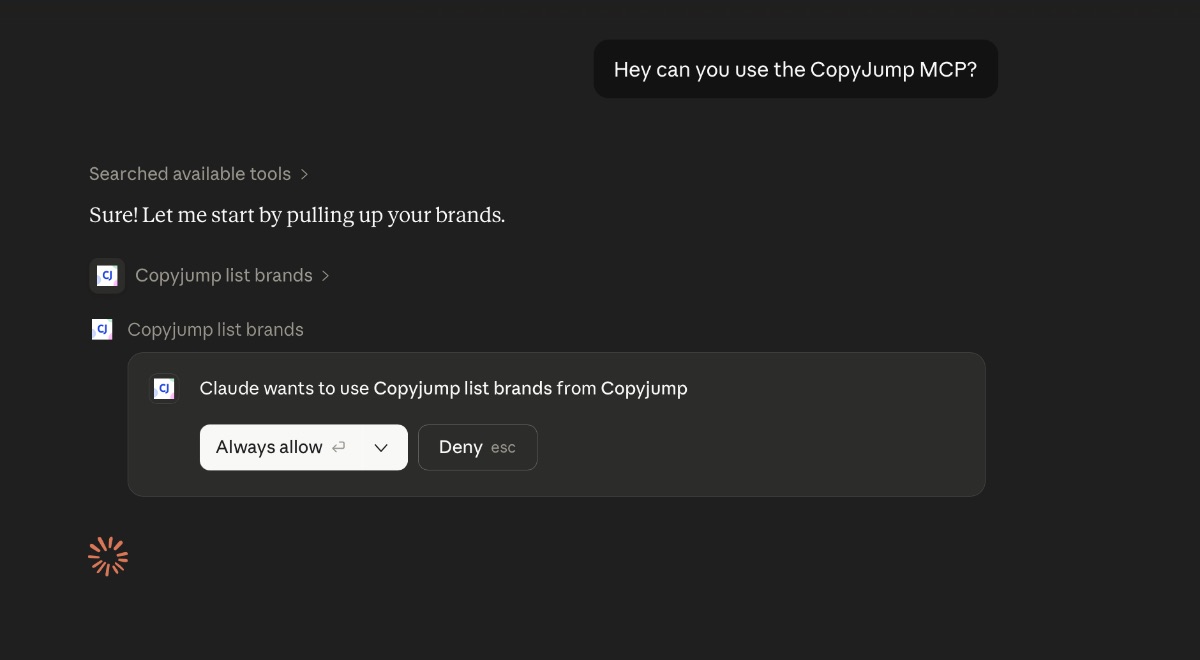
CopyJump tools show up directly inside Claude.
Claude can ask to use CopyJump, call the available tools, and work with the brand context you approve.
You plan in your AI app. CopyJump writes the SEO content.
Pick a direction in chat, then hand the writing to CopyJump. Four steps, start to finish.
- 1
Choose the direction in chat
Work out the angle and instructions with the assistant you already use.
- 2
Plan and schedule the task
The assistant saves the angle with the right brand and instructions, then schedules it to run.
- 3
CopyJump writes the draft
Brand voice and SEO structure are already applied, so the content comes back on-brand.
- 4
Bring it back
Retrieve the finished article in your AI app to review, publish, or move into the next step.
Install the CopyJump starter skill.
The starter skill teaches an outside agent how to select a Brand, load CopyJump's live methods, and choose between standalone Content, tracked Tasks, and optional CopyJump execution. The detailed SEO methods stay on the server, so the small installed skill does not go stale.
Import the packaged file in a client that supports skills. For file-based agents, place the raw file atskills/copyjump/SKILL.md, then connect the agent to https://app.copyjump.com/mcp with OAuth.
OAuth access for AI assistants.
Connect through your CopyJump account with organization-scoped OAuth, then choose the one organization the assistant may work with. Tools operate on brands in that organization, while finished documents are read from markdown resource links returned by the content list. The server URL is https://app.copyjump.com/mcp. Prefer a backend or CMS integration? Use the REST API instead.
A normal chat can run the whole MCP workflow.
The person only describes the content they want. The assistant chooses the right CopyJump tools, creates the task, starts the agent, and checks the result without turning the conversation into a developer console.
See the CopyJump Content AgentYou
I want to post about my MCP server workflow. Here are a few links and rough notes.Assistant
I will read the notes, links, and CopyJump brand context first.Read notes, links, and brand contextAssistant
This should be a founder-style post about turning AI chat into workflow automation.You
Yep. Turn that into a CopyJump task.Assistant
Done. CopyJump is tracking the sources and writing the draft in your voice.Created the task and started the CopyJump agentFrequently Asked Questions
What is MCP?▼
MCP stands for Model Context Protocol. It lets compatible AI assistants use CopyJump for SERP and keyword research, site analysis, content planning, agent scheduling, and finished drafts.
How is MCP different from the REST API?▼
REST is best for apps, CMSs, and backend integrations. MCP is best when an AI assistant or agent needs to discover and call CopyJump tools inside an interactive workflow.
Can I use this without opening CopyJump?▼
Yes. A compatible assistant can research, manage Brand context, write and save standalone Content, or create tracked Tasks and explicitly schedule CopyJump when you want its agent to execute the work.
Can my own agent write the content?▼
Yes. CopyJump can be the shared backend for Brand files, research, Content, Tasks, Groups, and state while your own agent plans and writes. Install the starter skill so it loads CopyJump’s current methods from MCP instead of relying on copied instructions.
How does MCP access work?▼
CopyJump MCP uses OAuth. During approval you choose one organization. The assistant can use its brands while your organization membership remains active.
Connect your AI app to CopyJump.
Use CopyJump as the content and SEO backend for your own agent, or hand tracked work to CopyJump when you want it executed.
Hosted MCP server for OAuth clients.