

Lesson 13: Publishing and Indexing
Getting Google to see your content. Sitemaps, Search Console, and what to do when pages don't get indexed.

Publishing isn't the end. Your content needs to be found and indexed before it can rank. Most of the time this happens automatically. Sometimes it doesn't, and knowing how to troubleshoot saves weeks of waiting and wondering.
How Indexing Works
Google discovers pages by crawling links. Googlebot follows links from pages it already knows, finds new pages, and adds them to the index. The index is Google's database of all the pages it knows about and considers for ranking.
A page that isn't indexed can't rank for anything. It doesn't exist in Google's view of the web.
Once your site is set up in Google Search Console and your sitemap is submitted, most pages get indexed within a few days to a few weeks. Well-linked pages on established sites get indexed faster. Orphan pages on new sites can take longer, or never get indexed at all.
Setting Up Google Search Console
Google Search Console is how you tell Google your site exists. It's free and essential. Set it up at search.google.com/search-console if you haven't already.
This course focuses on Google, but other search engines have their own tools. Bing has Webmaster Tools. Yahoo and others use Bing's index. Start with Google. It's where most of your traffic will come from.
Search Console shows you which pages are indexed, which aren't, and why. It shows you what queries you're appearing for, even before you get clicks. It's your window into how Google sees your site.
Verify your site ownership, submit your sitemap, and check the Coverage report to see your current indexing status.
Sitemaps
A sitemap is an XML file that lists all the pages on your site you want indexed. It helps Google discover pages that might not be easily found through links.
Most modern CMS platforms generate sitemaps automatically. Check that yours is working by visiting yourdomain.com/sitemap.xml. You should see an XML file listing your pages.
Submit your sitemap URL in Search Console under Sitemaps. Google will use it as a starting point for crawling.
Keep your sitemap updated as you publish. Automatic generation handles this. If you're manually maintaining a sitemap, add new pages as you publish them.
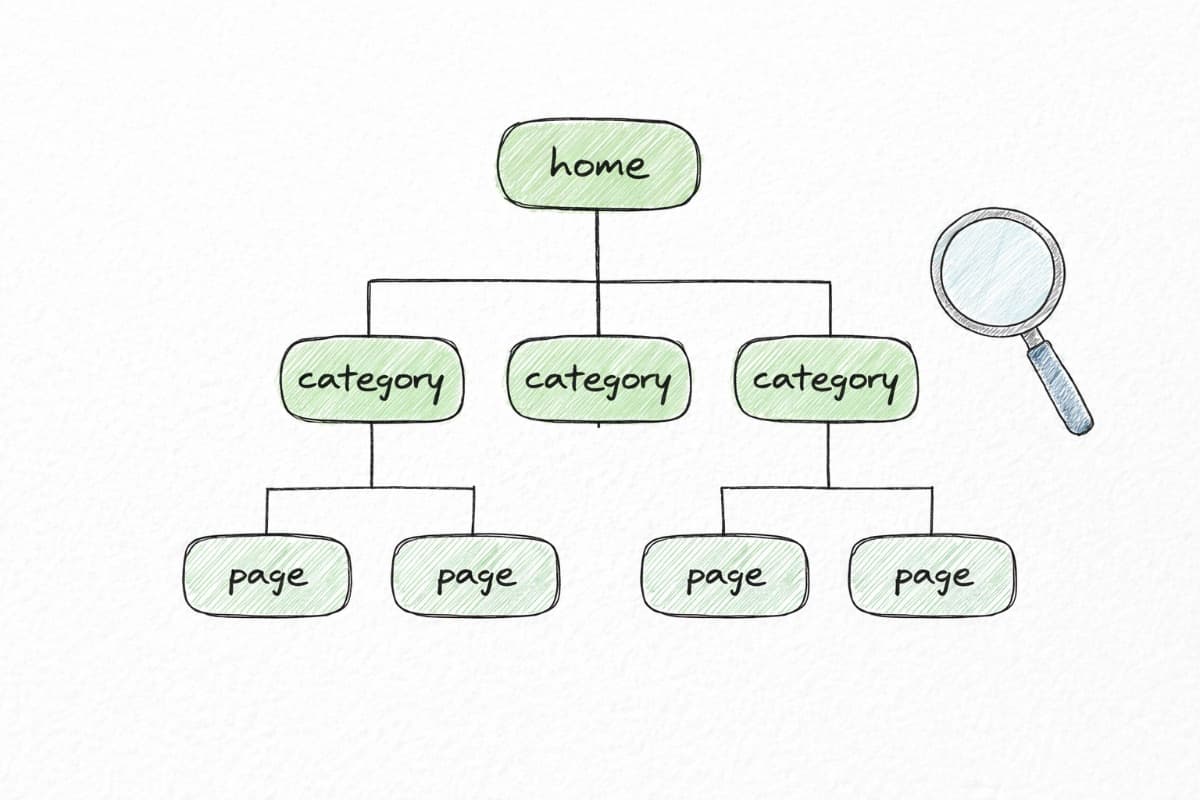
If you want to visualize your current site structure or plan how pages should connect, the Visual Sitemap Generator can help. It shows your site's hierarchy and makes it easier to spot gaps or orphan pages before they become indexing problems.
Requesting Indexing
When you publish something new and want it indexed quickly, you can request indexing in Search Console.
Go to URL Inspection, enter the URL of your new page, and click "Request Indexing." This doesn't guarantee immediate indexing, but it moves your page to the front of Google's crawl queue.
Use this for important new pages. Don't spam it for every minor update. Google might start ignoring your requests.
Why Pages Don't Get Indexed
If a page isn't getting indexed, there's usually a reason.
No internal links. If no other page on your site links to the new page, Google might not find it. Fix this first. Add links from relevant existing content. See Lesson 12 for linking strategy.
Noindex tag. Check if the page has a noindex meta tag or robots directive. Sometimes these get applied accidentally, especially on staging environments that go live.
Blocked by robots.txt. Check your robots.txt file (yourdomain.com/robots.txt) to make sure you're not accidentally blocking the page or directory.
Crawl budget issues. Large sites with many pages can exhaust Google's willingness to crawl. Smaller sites rarely hit this limit.
Quality issues. Google sometimes declines to index pages it considers low quality or duplicate. This is harder to diagnose but shows up in Search Console as "Crawled - currently not indexed" or "Discovered - currently not indexed."
New site. Brand new domains take time to build trust. Be patient and keep publishing quality content.
The "Discovered - Not Indexed" Problem
This is the most frustrating indexing issue. Google knows your page exists but hasn't indexed it. The Coverage report shows "Discovered - currently not indexed."
This usually means Google doesn't consider the page valuable enough to index. Possible causes:
The content is too thin or too similar to other indexed pages. The page has few or no internal links. The site overall doesn't have enough authority for Google to crawl deeply. The content doesn't match a clear search intent.
Fixes:
Improve the content. Make it more comprehensive, more specific, more useful. Add internal links from your strongest pages. Be patient and keep publishing quality content to build site authority. Consider whether this page needs to exist as a standalone URL or could be merged with another page.
After Publishing
When you publish a new piece of content:
Add internal links to it from relevant existing content. Update your pillar page if applicable. Request indexing in Search Console. Check back in a week to confirm it's indexed.
If it's not indexed after two weeks and you've done everything right, investigate. Check Search Console for specific errors. Consider whether the content is strong enough to index.
The Waiting Game
Indexing takes time. Ranking takes more time. New content on a new site might take three to six months to reach its ranking potential.
Don't obsess over daily ranking checks. Look at trends over weeks and months. Early indicators are impressions in Search Console. You'll see these before you see clicks.
Stay consistent. Keep publishing. The compounding effect takes time to kick in.
Next: Lesson 14: Measuring What Matters
Back to: Course Overview