

Lesson 15: Troubleshooting: Why Your Content Isn't Ranking
Common problems and how to fix them. A diagnostic checklist for content that should be ranking but isn't.

You published content. You waited. It's not ranking. Before you assume SEO doesn't work, run through this diagnostic checklist. Most ranking failures have identifiable causes and fixable solutions.
First: Is It Actually a Problem?
Check your timeline. Content less than three months old on a site without established authority might just need more time. SEO isn't instant.
Check your expectations. If you targeted a keyword with massive competition, ranking on page one was always unlikely without significant authority and backlinks.
Check your baseline. Are you appearing at all? Search Console shows if you're ranking position 50 versus not appearing at all. Position 50 is progress. You're in the running. Not appearing is a different problem.
If your content is old enough, your keyword is reasonable, and you're not appearing at all, something is wrong. Let's diagnose.
Problem 1: Not Indexed
Check Search Console's URL Inspection tool. Is the page indexed?
If not indexed, check for:
Noindex tags. View page source and look for noindex in meta tags. Robots.txt blocks. Check if your robots.txt file blocks the page. No internal links. Add links from other pages to help Google discover this one. Request indexing in Search Console and wait a week.
If the page is "Discovered - currently not indexed," Google found it but chose not to index it. This usually means quality issues: thin content, duplicate content, or low site authority. Improve the content or consolidate it with a stronger page.
Problem 2: Intent Mismatch
This is the issue we covered in depth in Lesson 6. Your content might be indexed and well-written but wrong for the keyword.
Search your target keyword. Look at what's ranking. Is it the same content type as yours? If they're all comparison posts and you wrote an essay, that's your problem.
The fix is usually structural. You might need to reformat as a listicle, add a comparison table, change from theoretical to practical, or significantly restructure the content to match what's working.
Sometimes the fix is targeting a different keyword. Your content might be good but better suited to a different query.
Problem 3: Thin Content
Does your content actually deserve to rank? Be honest.
If the top results have 2,500 words covering every angle, and your post has 800 words covering the basics, you're under-delivering. Google has better options.
The fix: expand the content. Add more sections, more depth, more examples. Don't pad with fluff. Add genuinely useful information. If you can't make it more comprehensive, consider whether this topic needs a standalone page or could be part of a larger piece.
Problem 4: Lack of Specificity
This is why most AI content fails. Your content might be comprehensive but generic. It says the same things as every other post on the topic. There's no reason to rank it over the alternatives.
Search your keyword, read the top results, then read your content. What do you say that they don't? If the answer is "nothing," that's the problem.
The fix: add specificity. Real examples from your experience. Unique perspective or opinion. Concrete data or case studies. Something that makes your content identifiably different. The 5-Pass Editing Framework, especially Pass 2, is designed for exactly this.
Problem 5: Weak Internal Linking
We covered this in Lesson 12, but it's worth checking here. How many internal links point to the page? If the answer is zero or one, the page might not have enough site authority flowing to it.
Search Console doesn't show internal links, but you can use a crawler like Screaming Frog or manually check.
The fix: add internal links from your strongest, most-trafficked pages. Update your pillar page to link to this post. Add contextual links from related posts. More links signal that this page matters.
Problem 6: Technical Issues
Sometimes the problem is technical.
Page speed: Run through PageSpeed Insights. Major performance issues can hurt rankings.
Mobile usability: Check Search Console's Mobile Usability report for errors.
Broken elements: Make sure the page actually loads correctly. Missing images, broken JavaScript, or layout issues can affect user experience and rankings.
The fix: address whatever technical issues you find. These are usually straightforward: slow images need compression, mobile issues need CSS fixes, broken elements need debugging.
Problem 7: Keyword Difficulty
You might have chosen a keyword you can't compete for yet.
Check who's ranking. Are they major brands with massive domain authority? Sites with thousands of backlinks? If so, you're outgunned.
The fix: target an easier variation. Instead of "content marketing," try "content marketing for B2B startups" or "content marketing on a small budget." Find the angle where you can win.
You can always come back to competitive keywords later as your authority grows.
Problem 8: Cannibalization
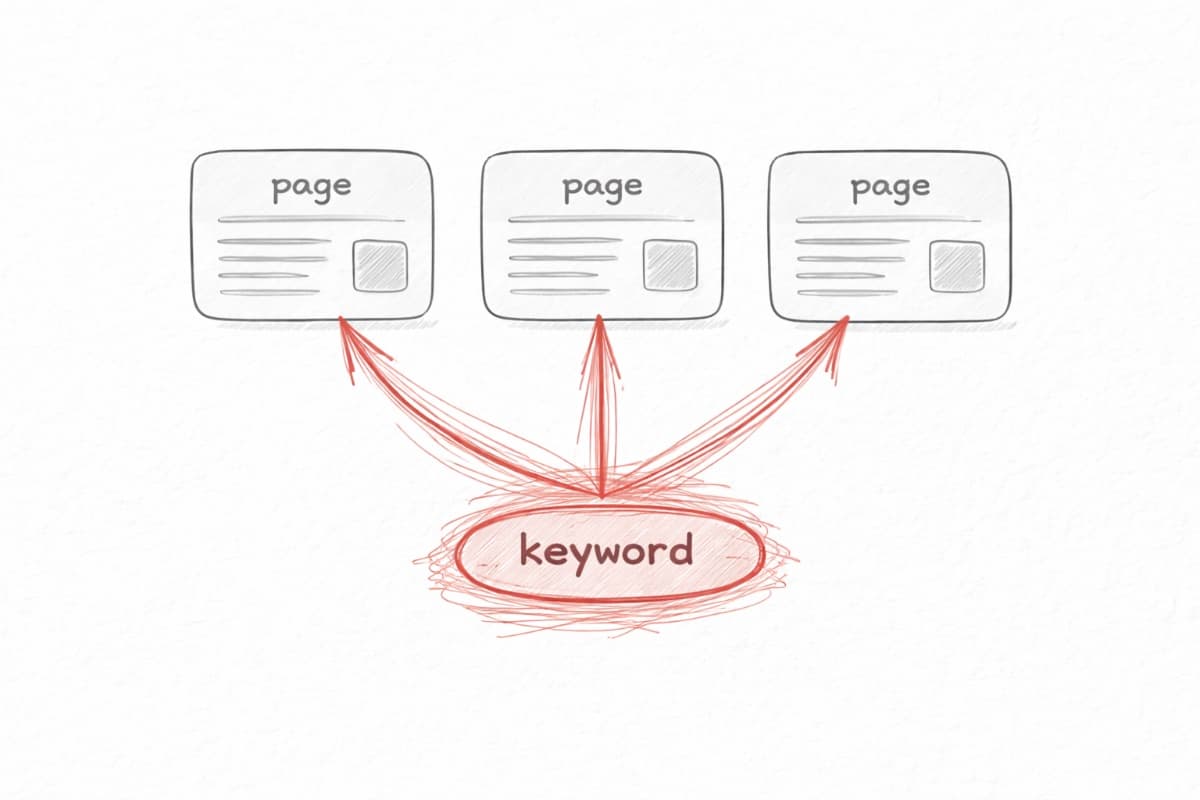
This is why topic clusters matter. You might have multiple pages competing for the same keyword, splitting your authority.
Search your site for the target keyword (site:yourdomain.com "keyword"). If multiple pages come up, you might have cannibalization.
The fix: consolidate or differentiate. Either merge the pages into one stronger page, or make them target clearly different keywords. One page should be the primary target for each keyword.
Problem 9: It Just Needs Time
If you've checked everything above and nothing is obviously wrong, the answer might be patience.
SEO authority builds slowly. New sites take time to establish trust. Even good content can take months to climb rankings.
Keep publishing. Keep improving. Monitor trends rather than daily positions. If you're doing the right things, results will come.
The Troubleshooting Checklist
When content isn't ranking:
- Is it indexed? Check URL Inspection.
- Does the content match search intent? Check the SERP.
- Is the content comprehensive enough? Compare to competitors.
- Is the content specific and differentiated? Check for unique value.
- Does the page have internal links? Check link coverage.
- Are there technical issues? Run PageSpeed and mobile tests.
- Is the keyword realistic for your authority? Check competitor strength.
- Is there cannibalization? Search your own site.
- Has enough time passed? Give it three to six months.
Work through these in order. The problem is usually in the first five items.
When to Give Up on a Page
Sometimes a page just won't rank, and that's okay.
If you've improved the content, fixed technical issues, added links, waited six months, and it's still not performing, consider cutting your losses. Either merge it into a stronger related page or let it go.
Not every piece of content will rank. That's normal. Learn what you can and put your energy into content that has a chance.
Next: Lesson 16: The System in Practice
Back to: Course Overview