

Lesson 12: Internal Linking as Architecture
How links build authority. The simple system that helps Google understand your site and helps readers find more of your content.

Internal links are the architecture of your site. They tell Google which pages matter, how topics relate, and what you want to be known for. They also guide readers through your content, and toward your offering.
Most sites don't have an internal linking problem. They have an internal linking absence. Pages exist in isolation, linking nowhere, linked from nowhere. That's not architecture. It's a pile of pages.
Why Internal Links Matter
Google discovers and ranks pages partly based on how they're linked. Pages with many internal links pointing to them are seen as more important. Pages linked from authoritative pages inherit some of that authority. This is how you tell Google what matters most on your site.
But the bigger reason is reader experience. Internal links are how you guide visitors from "helpful article" to "this company knows their stuff" to "maybe I should check out what they offer." Each link is a chance to demonstrate more expertise, build more trust, and move readers closer to becoming customers.
Done well, it feels like a natural journey. Done poorly (or not at all), readers hit dead ends and leave.
The Simple System
You don't need complicated systems. Here's what works.
What Every Page Needs
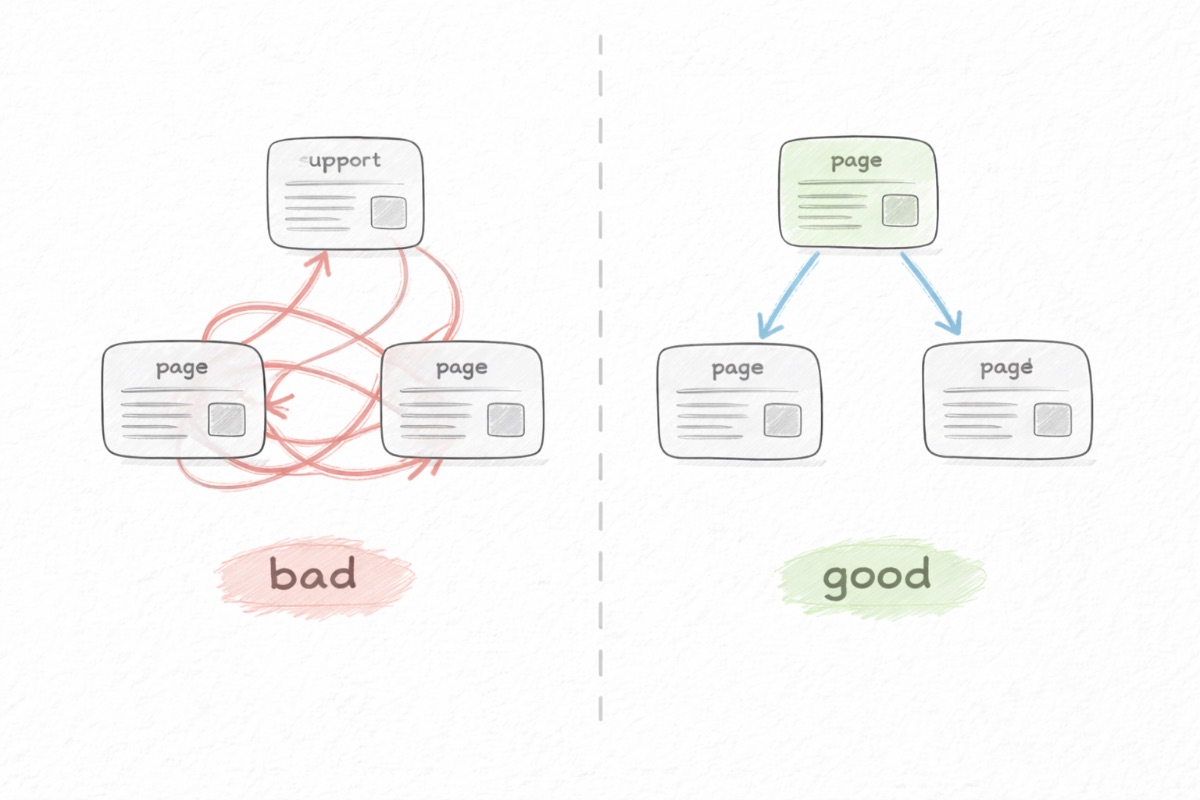
- Link to your pillar. Every supporting post in a topic cluster should link back to the pillar page.
- Link to two or three related posts. When you mention something covered elsewhere, link to it.
- Link from your pillar. The pillar should link out to all supporting posts. Update it when you publish new content.
- One clear next step. At the end of each post, guide the reader somewhere: another post, a tool, or your offering.
How to Place Them
Links belong in context, not dumped in a list at the end. Good spots: the introduction, within sections when you reference related ideas, and the conclusion.
Use descriptive anchor text. "Our keyword research guide" tells readers what's behind the link. "Click here" tells them nothing. Vary your anchors when linking to the same page from different posts.
Don't overlink. Five to ten internal links per post is plenty.
Keeping Links Fresh
When you publish something new, link from it to related existing posts, and update those posts to link back. When you revisit old content, check that links still work and add links to newer posts that didn't exist when you originally published.
Set a quarterly reminder to audit. Broken links hurt trust.
Common Mistakes
Circular linking without depth. Three pages that only link to each other aren't a cluster. They're an island. Make sure clusters connect to your broader site.
Linking to low-value pages. Your best posts should get the most internal links. Linking prominently to thin or outdated content doesn't help anyone.
Inconsistent terminology. If you call it "content marketing" in one post and "content strategy" in another, you're sending mixed signals. Decide on your terms and use them consistently.
Next: Lesson 13: Publishing and Indexing
Back to: Course Overview
Want this handled for you? The CopyJump SEO Agent applies these lessons automatically — research, briefs, internal links, and brand-aware drafts.
Meet the SEO Agent